Digital photo quality
- Clear and in focus
- In colour
- Unaltered by computer software
- At least 600 pixels wide and 750 pixels tall
- At least 50KB and no more than 10MB


Independent UK passport photo guide
A UK passport photo must be a recent, unaltered likeness that meets HM Passport Office rules. Get those details wrong and GOV.UK says your application will be delayed.
GOV.UK currently states that photos from a photo booth or shop are more likely to be approved than a photo taken using your own device.
Source: GOV.UK, Get a passport photo (opens GOV.UK in a new tab).
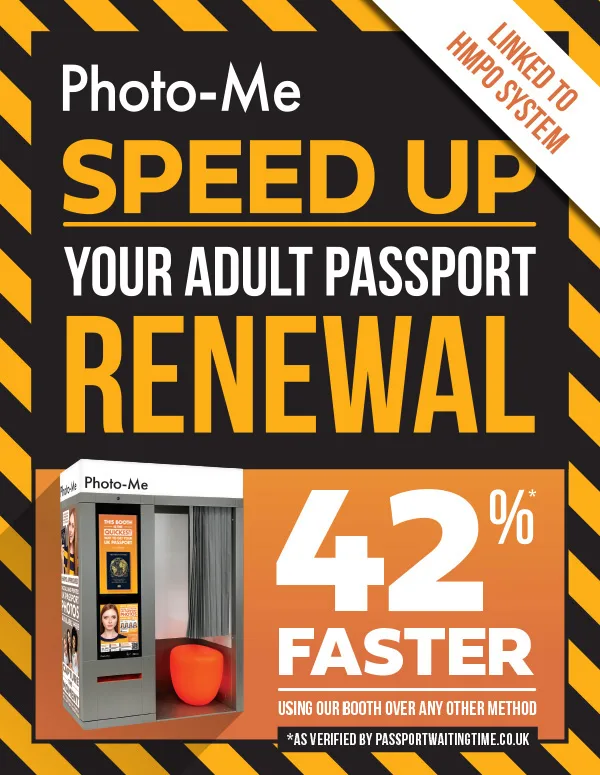
This guide explains the official requirements for digital and printed photos, the mistakes that commonly cause rejection, and how digital photo codes work. Passport Waiting Time recommends Photo-Me booths as a practical way to follow those rules — we do not claim that Photo-Me is endorsed by HM Passport Office, or that a booth photo makes HMPO process your application faster.
Based on current GOV.UK photo rules
Explains digital photo codes clearly
Live applicant timelines, not invented stats
Photo-Me recommended, not HMPO-endorsed
You must get a new photo when you get a new passport, even if your appearance has not changed. The photo must have been taken in the last month. Online applications need a digital photo; paper applications need two identical printed photos.
Confirm the latest official wording on GOV.UK digital passport photos (opens GOV.UK in a new tab) and printed photo requirements (opens GOV.UK in a new tab).
GOV.UK requires a new photo for each passport application. It must still look like you.
The photo must be clear, in colour, in focus and not altered by computer software.
Face the camera, keep a plain expression with your mouth closed, and use a plain light background with no other people or objects.
Apply online with a digital photo (upload or photo code). Apply on paper with two 45mm × 35mm prints.
You need a digital photo to apply for a passport online. You can get it from a photo booth or shop before you apply, or take one using your own device during the application.
If you take the photo on your own device, include your head, shoulders and upper body. Do not crop it.
These rules apply alongside the digital quality checks. Printed photos for paper forms have extra size and paper requirements.
Printed photos for paper applications must be 45mm high by 35mm wide. Digital photos for online applications must be at least 600 × 750 pixels and between 50KB and 10MB. If you take a photo on your own device, include your head, shoulders and upper body and do not crop it — GOV.UK says cropping is done for you.
Digital photos need a plain light-coloured background. Printed photos must be taken against a plain cream or light grey background. In both cases there must be clear contrast, no patterns or texture, and no other objects or people.
Use even lighting with no shadows on your face or behind you, and no red eye. GOV.UK’s own-device guidance recommends balanced light, ideally natural daylight facing a window, and standing about 50cm from the background to reduce shadow.
Adults must have a plain expression with the mouth closed, facing forwards. Children under 6 do not have to look directly at the camera or have a plain expression.
Do not wear glasses in your photo unless you have to. If you must wear them, they cannot be sunglasses or tinted glasses, and your eyes must not be covered by the frames or by glare, reflection or shadow.
Do not wear a head covering unless it is for religious or medical reasons. Everyday hats, fashion headwear and decorative hair accessories are not allowed. Allowed coverings must still leave your face fully visible, with no shadows from the fabric.
Children must be on their own in the picture. Babies must not hold toys or use dummies. Children under one do not have to have their eyes open. You can support an infant’s head with your hand, but the hand must not be visible. For a child under one, GOV.UK says they should lie on a plain light-coloured sheet and you should take the photo from above.
Full printed-photo rules are on GOV.UK printed photos (opens GOV.UK in a new tab).
Yes. For an online application you can take a digital photo using your own device during the application. GOV.UK says you will need someone to help you take it.
Photos from a booth or shop are more likely to be approved than a photo taken using your own device — that is GOV.UK’s wording, not a Passport Waiting Time statistic.
Do not crop a phone photo; include head, shoulders and upper body.
Turn off beauty modes, portrait smoothing and filters. The photo must be unaltered by computer software.
A booth or shop photo with a code still does not submit your passport application. You enter the code yourself in the GOV.UK application.
GOV.UK warns that your application will be delayed if your photos do not meet the rules. These are the problems we see applicants describe most often, mapped to those official rules.
GOV.UK requires a photo taken in the last month, and a new photo for every new passport.
Shadows on your face or on the background, or red eye, fail the rules.
Patterns, texture, outdoor scenes, other people or objects behind you are not allowed.
Smiling with an open mouth, looking away, or tilting the head breaks the adult full-face rule.
Wear glasses only if you have to, with eyes fully visible and no glare, reflection or shadow.
Hair in front of the eyes, fashion hats, or anything else covering the face will not pass.
Beauty apps, filters and other software alterations are not allowed. The photo must be unaltered.
A digital photo that is out of focus, below 600 × 750 pixels, under 50KB or over 10MB does not meet the published digital rules.
Paper applications need two identical 45mm × 35mm photos. Cut-down larger pictures are not accepted.
The method that meets GOV.UK rules is the one that will be accepted. HM Passport Office decides that, not the photo supplier and not Passport Waiting Time.
GOV.UK recommends getting a digital photo from a booth or shop before you start, and choosing the option to get a code. Those photos are more likely to be approved than a photo from your own device.
Allowed, with help from another person, if every digital rule is met. This is the higher-risk option on GOV.UK’s own comparison.
Use a booth or shop that can produce two identical 45mm × 35mm prints to a professional standard.
Partner recommendation
We recommend Photo-Me because booths are built for official photos and can issue a digital code for online applications. That can reduce avoidable photo errors. Acceptance is still decided by HM Passport Office, and Photo-Me is a commercial partner — not an HMPO service.
Booths are set up for even face lighting, which is one of the hardest things to get right at home.
A booth background is designed for official photos, rather than a living-room wall or a busy shop interior.
On-screen guides help you face the camera squarely so your head is not tilted or turned.
Booth output is produced for UK passport use, so you are not guessing pixel dimensions on a phone.
Many booths run automated checks before you leave. Those checks help you spot obvious errors; they are not an HMPO acceptance decision.
You can take a code into the GOV.UK application. The photo is added to that application when you enter the code — Photo-Me does not file the application for you.
Photo-Me booths are found in shopping centres, stations and high streets across the UK.
A booth cannot guarantee acceptance. It can reduce common home-photo errors such as shadows, busy backgrounds and soft focus.
A photo code is a way to add a booth or shop digital photo to an online UK passport application. It is not an application by itself.
GOV.UK says to get a digital passport photo from a booth or shop before starting your application, and to choose the option to get a code with your photos.
During the online application you enter the photo code. You should then see the photo on screen, check it, and submit it as part of that application.
The code identifies the digital file so it can be added to your application. It is not a shortcut that lodges the rest of your application, and it does not replace identity or payment steps.
Official customer help: GOV.UK photo with a code (opens GOV.UK in a new tab).
Passport Waiting Time data
Applicants who publish a timeline on Passport Waiting Time can say how they took their photo. We compare average calendar days from application submitted to passport received for eligible published timelines. These are associations in crowd-sourced data, not evidence that the photo method caused a faster or slower HMPO decision.
Photo-Me
13days avg
Applicants who said they used a Photo-Me booth
Based on 149 eligible published timelines
Mobile phone
22days avg
Applicants who said they took the photo on a phone
Based on 504 eligible published timelines
Other methods
24days avg
Other booths, studios and methods grouped together
Based on 347 eligible published timelines
Averages use eligible published timelines only (approved, consented, statistics-eligible, not excluded from averages, and within the usual 0–365 day window). Sample sizes are shown on each card. Different application types and circumstances are mixed together, so a lower average for one photo method is not proof that Photo-Me speeds up processing. Individual cases vary. Figures are not official HMPO statistics.
| Factor | Mobile phone | Photo-Me booth |
|---|---|---|
| GOV.UK approval likelihood | Own-device photos are the higher-risk option on GOV.UK | Booth or shop photos are more likely to be approved, per GOV.UK |
| Lighting and background | Depends on the room, time of day and wall behind you | Booth lighting and background are set up for official photos |
| How the photo reaches the application | Taken during the application and uploaded as a file | You enter a photo code; the image is added to your application |
| Who files the application | You, on GOV.UK | Still you on GOV.UK — the booth does not apply for you |
| Waiting-time effect | No official claim that phone photos are processed slower | No official claim that booth photos are processed faster |
Community timelines
These are recently published timelines where the applicant said they used a Photo-Me booth. Days are calendar days from submission to passport received. They remain publicly listed even if an administrator later excludes a row from average calculations.
Photo-Me timeline
29days
Photo-Me timeline
6days
Photo-Me timeline
48days
Photo-Me timeline
229days
Photo-Me timeline
10days
Photo-Me timeline
11days
Short answers to the questions people actually search for, including makeup, glasses, phones and photo codes.
Your photo must have been taken in the last month, be a new photo for a new passport, and meet HM Passport Office rules for quality, pose and background. Online applications need a digital photo; paper applications need two identical 45mm × 35mm prints. Always check the latest wording on GOV.UK.
Yes, for many online applications, if someone helps you take it and every digital rule is met. GOV.UK says photos from a booth or shop are more likely to be approved than a photo taken using your own device.
GOV.UK does not ban everyday makeup. The photo must be an unaltered true likeness, so avoid heavy effects, filters or edits that change how you look. Wear makeup as you normally would day to day.
Adults should have a plain expression with the mouth closed. Children under 6 do not have to have a plain expression.
Do not wear glasses unless you have to. If you must, they cannot be sunglasses or tinted glasses, and your eyes must not be covered by frames, glare, reflection or shadow.
Printed photos must measure 45mm high by 35mm wide, with the head (crown to chin) between 29mm and 34mm high. Digital photos must be at least 600 × 750 pixels and between 50KB and 10MB.
A photo code from a booth or shop lets you add that digital photo to an online UK passport application. You enter the code during the application; HM Passport Office can then retrieve the image. The code does not submit the rest of your application.
No. A Photo-Me booth can provide a digital photo and a code. You still complete identity, payment and other steps on GOV.UK (or on a paper form). Photo-Me is not HM Passport Office.
No. A compliant photo helps you avoid photo-related delay or rejection. Any difference in Passport Waiting Time averages by photo method is observational crowd-sourced data and is not evidence that Photo-Me causes faster HMPO processing.
No. GOV.UK says booth or shop photos are more likely to be approved than own-device photos, but HM Passport Office still checks every photo against the rules.
Children under one do not have to have their eyes open. They must still be on their own in the picture, without toys or dummies, and any supporting hand must not be visible.
Everyday hats are not allowed. Head coverings are allowed for religious or medical reasons if your face remains fully visible and the covering does not cast shadows on your face.
No. GOV.UK requires the photo to be unaltered by computer software. Do not use beauty modes, reshaping tools or filters that change your appearance.
You must get a new photo when you get a new passport, even if your appearance has not changed, and it must have been taken in the last month. Do not assume an old licence photo will pass.
Use the Photo-Me booth finder linked on this page. It opens the official Photo-Me website in a new tab. Photo-Me is a commercial partner of Passport Waiting Time.
If you want a booth photo and a digital code for an online application, use the official Photo-Me finder. Check the photo against GOV.UK rules before you submit your application. Acceptance is decided by HM Passport Office.
Passport Waiting Time is an independent website using crowd-sourced passport processing data. Photo-Me is a commercial partner. This page is not official government guidance. Photo rules are summarised from GOV.UK and can change — confirm the latest requirements on GOV.UK before you apply. Our statistics are generated from real user submissions and are not HM Passport Office figures.